Claude is taking off! Today, Claude Code officially launched its “Computer Usage” feature, allowing direct control of the CLI for coding, UI interactions, and bug fixes. With a single click, users can activate “autopilot” mode, freeing their hands completely.
Claude’s delivery speed is astonishing!
This morning, Anthropic dropped a significant update—Claude Code now has the ability to directly interact with your computer.

This means Claude is no longer just a chat AI hiding behind a dialogue box.
Now it has hands and can directly operate within the CLI, taking over tasks on your computer.
Claude Code can autonomously complete the entire development, debugging, and testing loop, just like a human programmer.
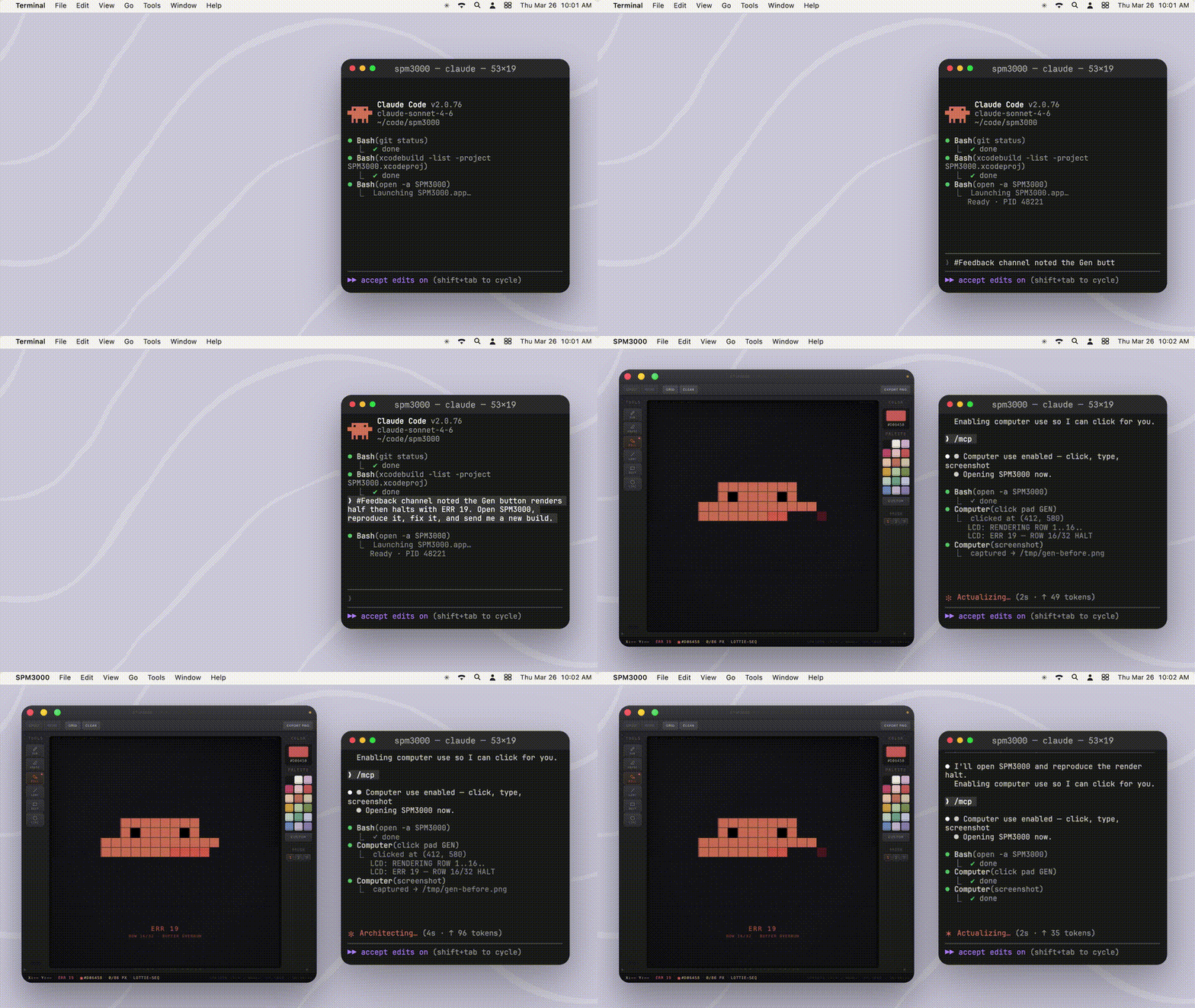
With just one prompt, Claude can handle everything from writing code, compiling, launching applications, to automatically selecting tests.
If a program crashes, it can find bugs, fix them, and validate the solution on its own.
This has left many users in a panic, with some suggesting that this moment marks Claude’s official replacement of software engineers.


Currently, this feature is available in a “research preview” for Pro and Max users, exclusively for macOS.

Claude Code Finally Grows “Hands and Eyes”
Humans Left as Bystanders
In reality, Claude Code is already quite powerful: it can understand your entire codebase, write code, modify files, and run commands.
However, its capabilities have been limited to the terminal and text world.
Once workflows move out of the terminal into browsers, desktop applications, or system UIs, humans must take over.
Now, Claude can directly take control of a Mac, manipulating browsers, mice, keyboards, and screens to complete tasks.
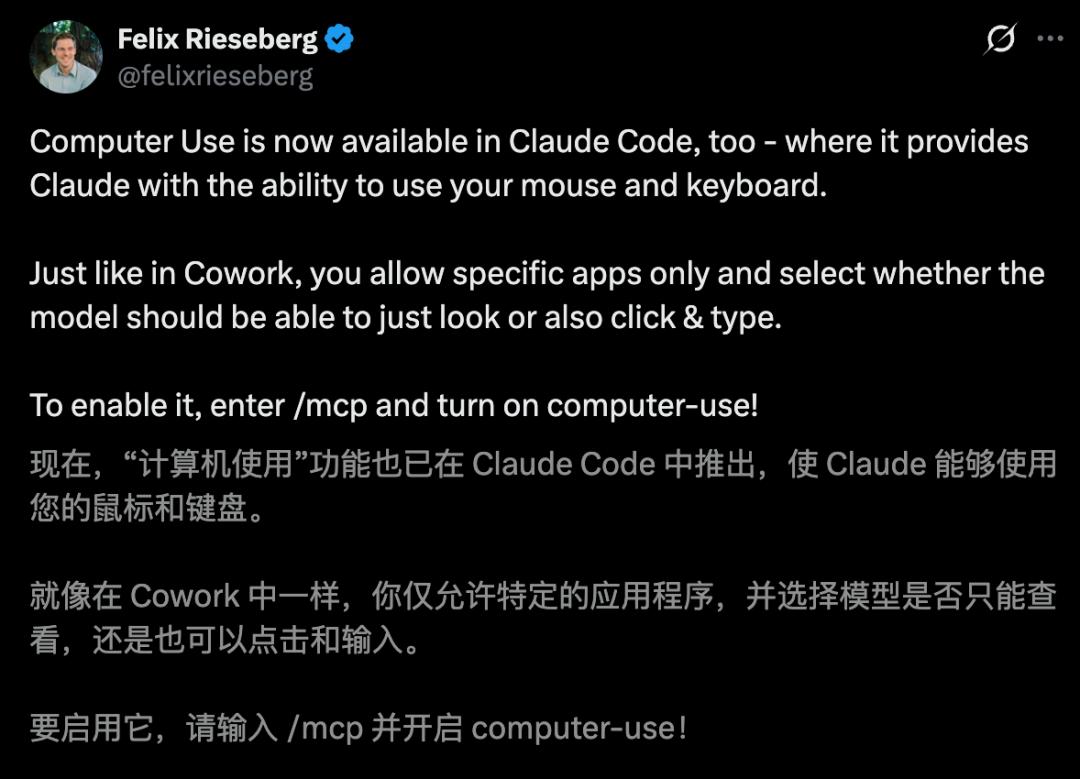
Simply enter /mcp in the terminal to activate Claude’s “autopilot” mode.
With the computer usage capability integrated, Claude Code can perform the following operations:
Cross-Application Interaction: Open various installed apps on the computer and interact with the UI by clicking and swiping.
End-to-End Loop: With a single command, it can complete the entire process:
Write code -> Compile -> Launch App -> UI Automation Clicks -> Find Bugs -> Fix Code -> Validate Again.
Ignoring Tool Boundaries: Whether it’s a locally compiled SwiftUI application, an Electron project, or a graphical tool without a CLI, it can operate directly.
The core breakthrough of this update is the “autonomous debugging” capability in complex environments.
In the past, when code encountered issues, users had to manually screenshot and report to AI or copy error messages, which was time-consuming and labor-intensive.
Now, Claude can directly see the constructed program interface, simulating user actions to find visual or logical flaws.
This “what you see is what you get” debugging method greatly reduces the cost of switching between different tools for developers.


This feature update truly achieves a complete loop for developers, allowing development to be completed without manual intervention.
Although Claude Code has become more powerful, without sufficient quota, developers can only lament their coding limitations.

Quota Depleted at Lightning Speed, Internet Outcry
Because today, Claude faced a significant issue…
Just a day into the week, global developers collectively hit the “quota wall” of Claude Code.
Even those who paid $200 for the “Max Premium User” status found themselves in a difficult position, receiving quota warnings before they could fully utilize the service.
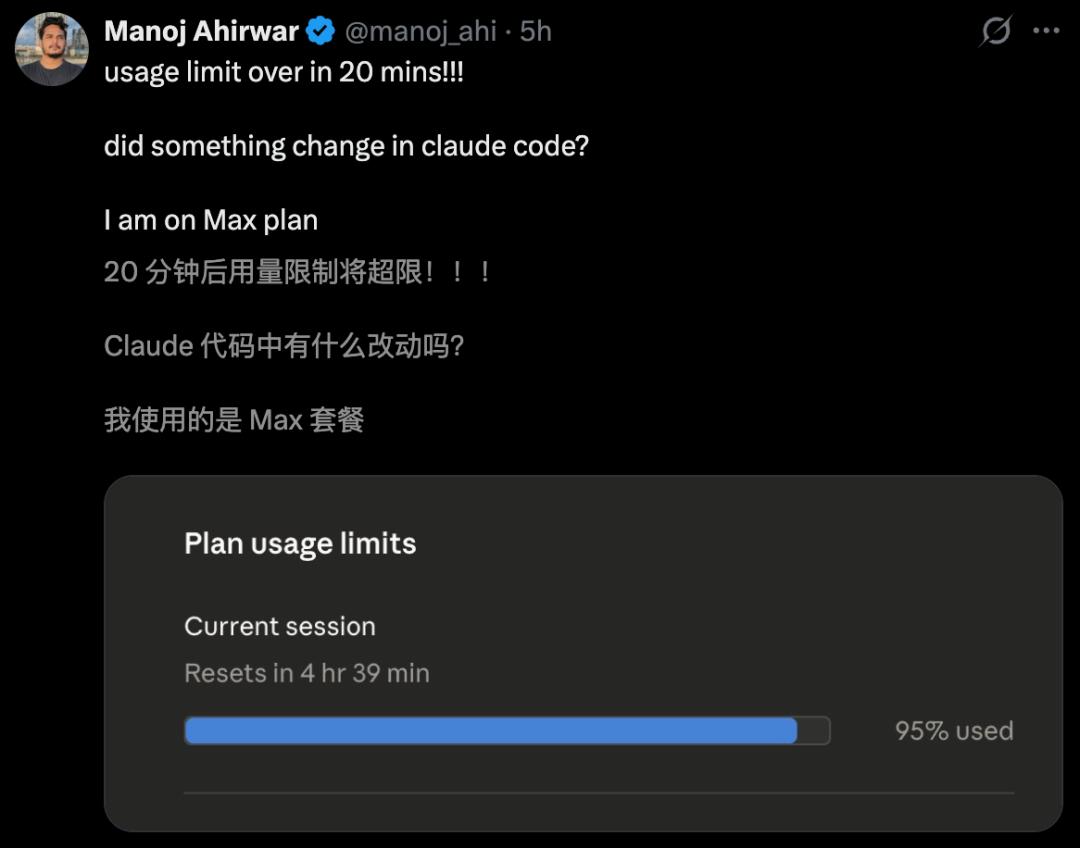

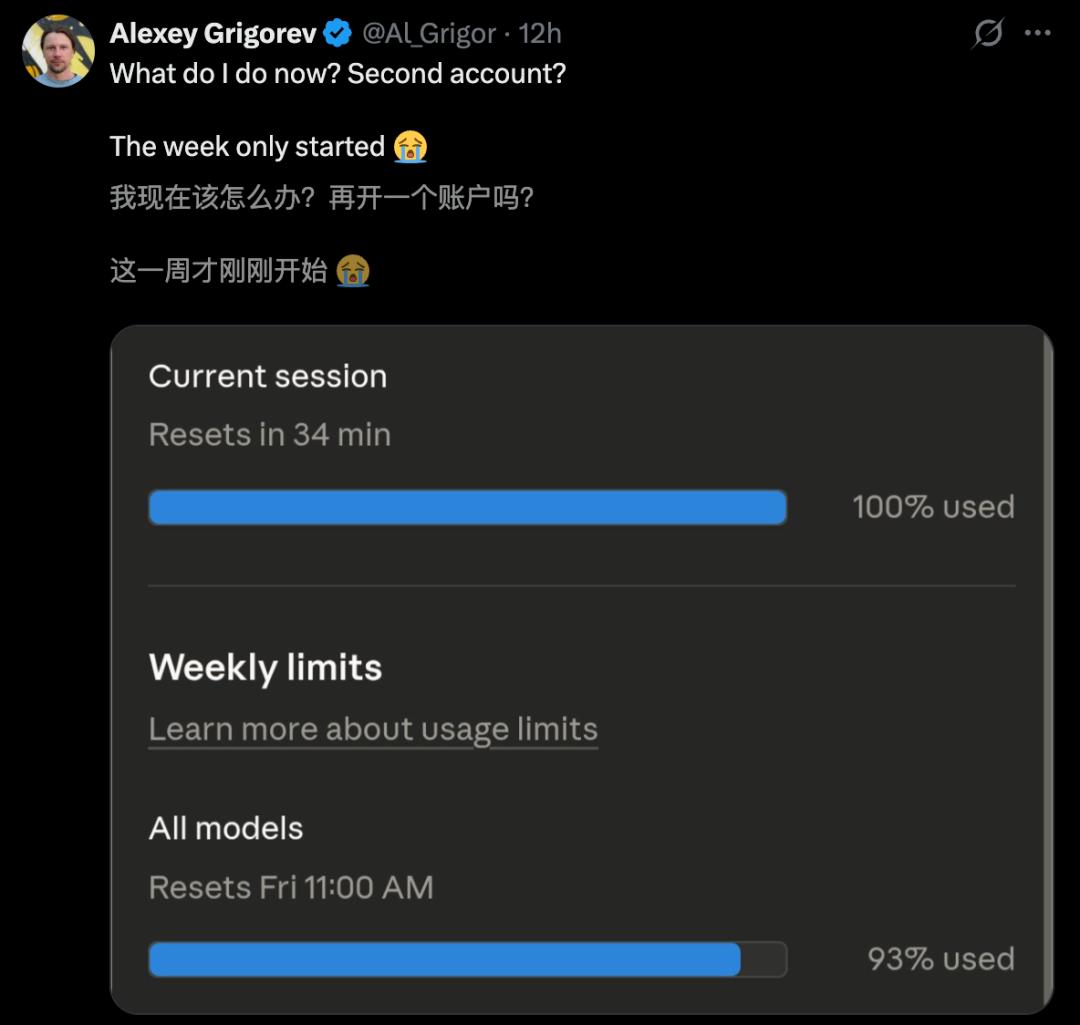
This sudden throttling has ignited widespread complaints online, with posts about “Claude quota shortages” flooding social media.
The most frustrating part is that by the end of Monday, Claude had already “clocked out” early.
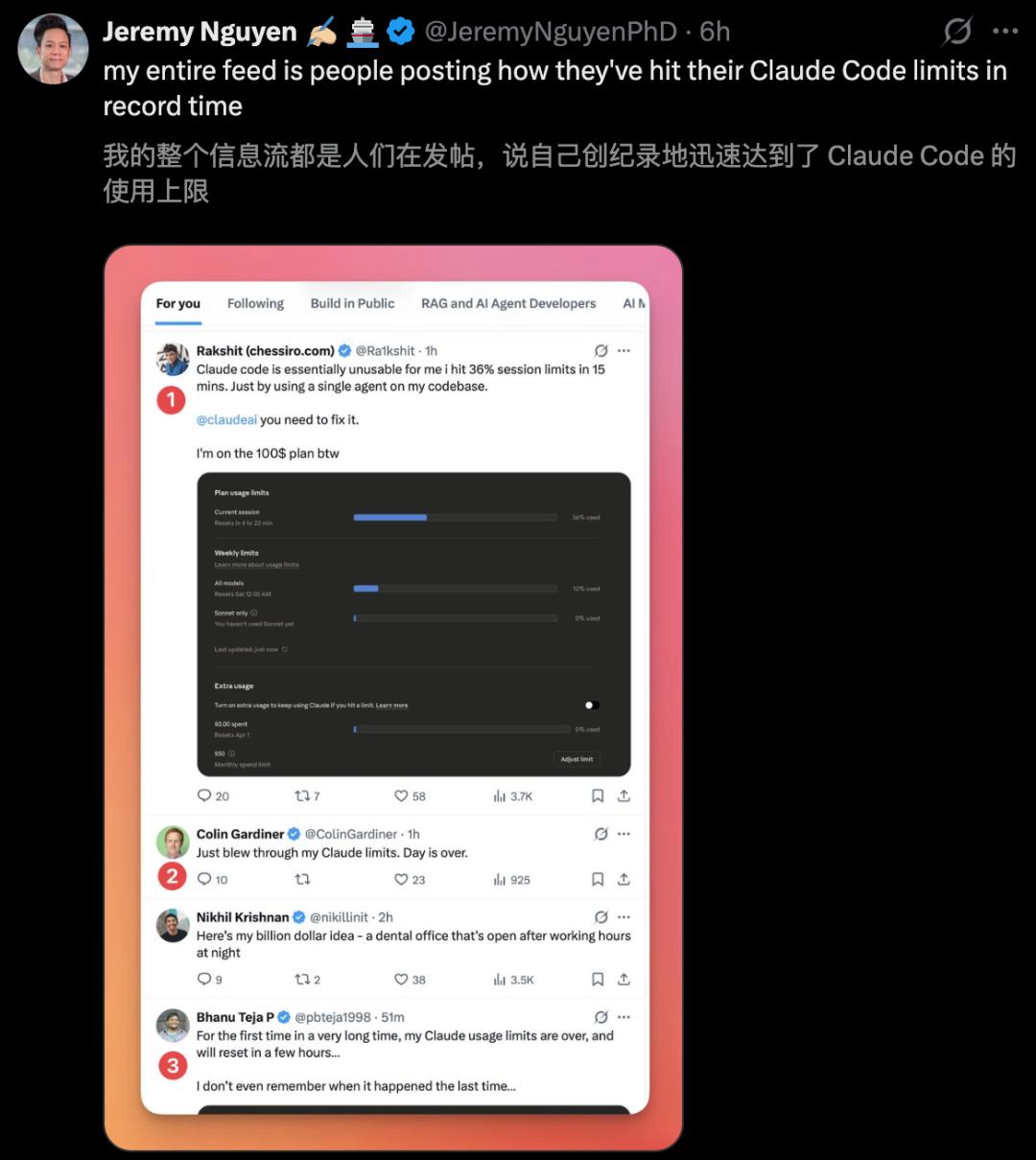

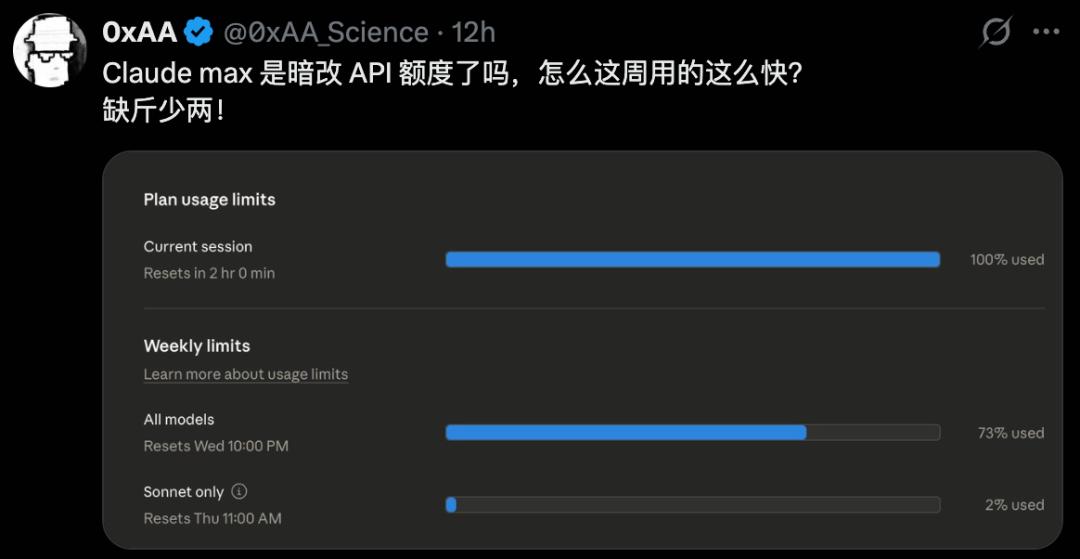
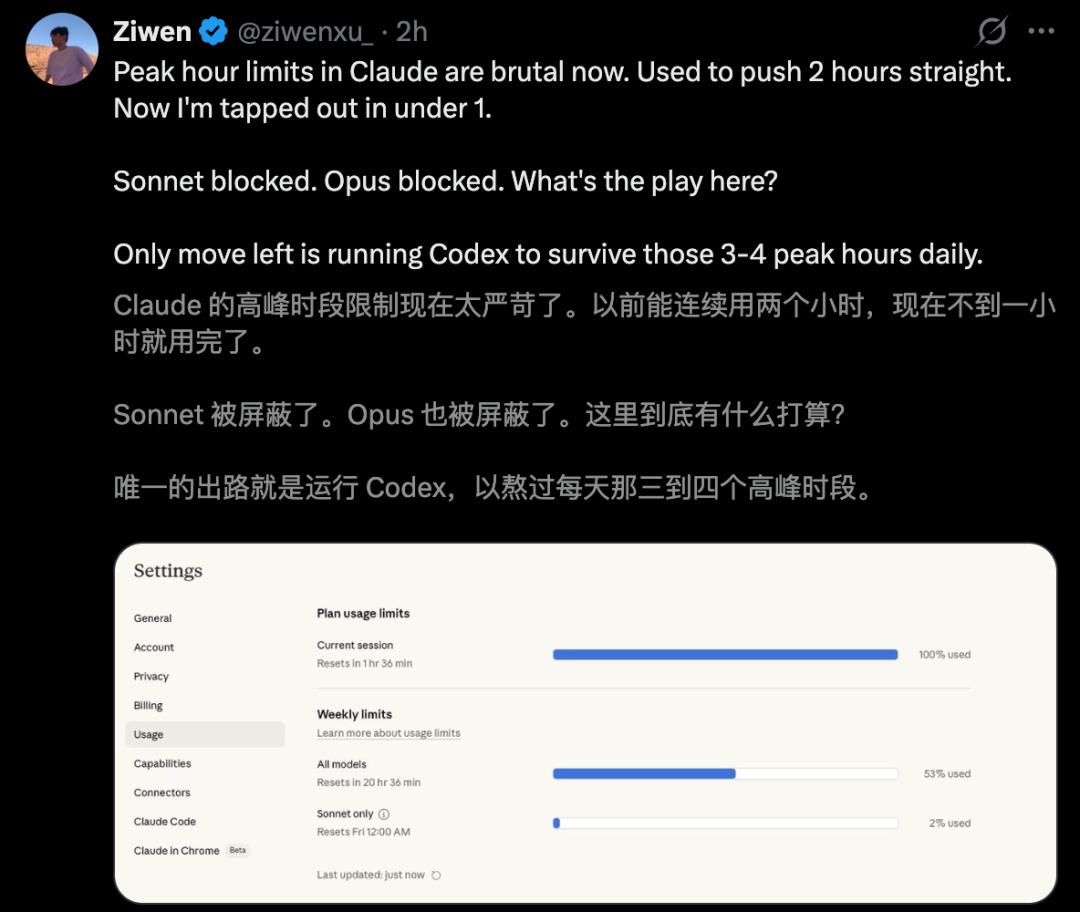
Facing the overwhelming outcry, CC engineers responded urgently: an internal investigation is underway.
However, as of now, the cause of the “fire” remains a mystery.


Serious Bugs Exposed, Token Costs Surge by 20 Times
A Reddit user couldn’t sit still.
He performed reverse engineering on Claude’s binary files through a man-in-the-middle attack (MITM) and discovered a shocking truth:
There are two serious bugs in the system’s underlying architecture that directly lead to cache failures.

Once cache fails, token consumption costs can surge by 10-20 times, effectively “murdering” the user’s quota.
If you are using it in API calls, the situation will only worsen. He found that these two bugs are extremely hidden.
The first is a string replacement bug in the Bun runtime environment. Because Claude’s independent CLI comes with a customized binary file, it causes frequent cache failures.
The known temporary solution is to use npx @anthropic-ai/claude-code to run.
The second bug is even more troublesome; when using the –resume command to restore a session, the cache crashes 100% of the time.
Currently, aside from “rolling back” to an older version that sacrifices many features, there is almost no solution.
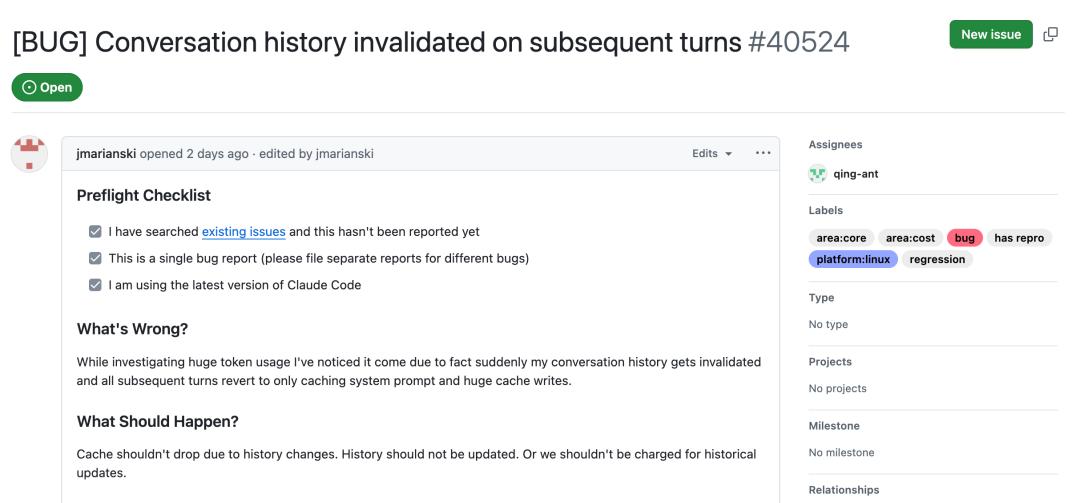
In the community, some have suggested that Anthropic is intentionally not fixing the bugs for profit.
Currently, many developers on GitHub have confirmed this vulnerability, and the “Token Assassin” incident may continue for some time.

Claude Code’s Creator Shares 15 Practical Tips
Yesterday, Claude Code’s creator Boris Cherny shared 15 severely underestimated “hidden skills” online.
1. Compiler in Your Pocket
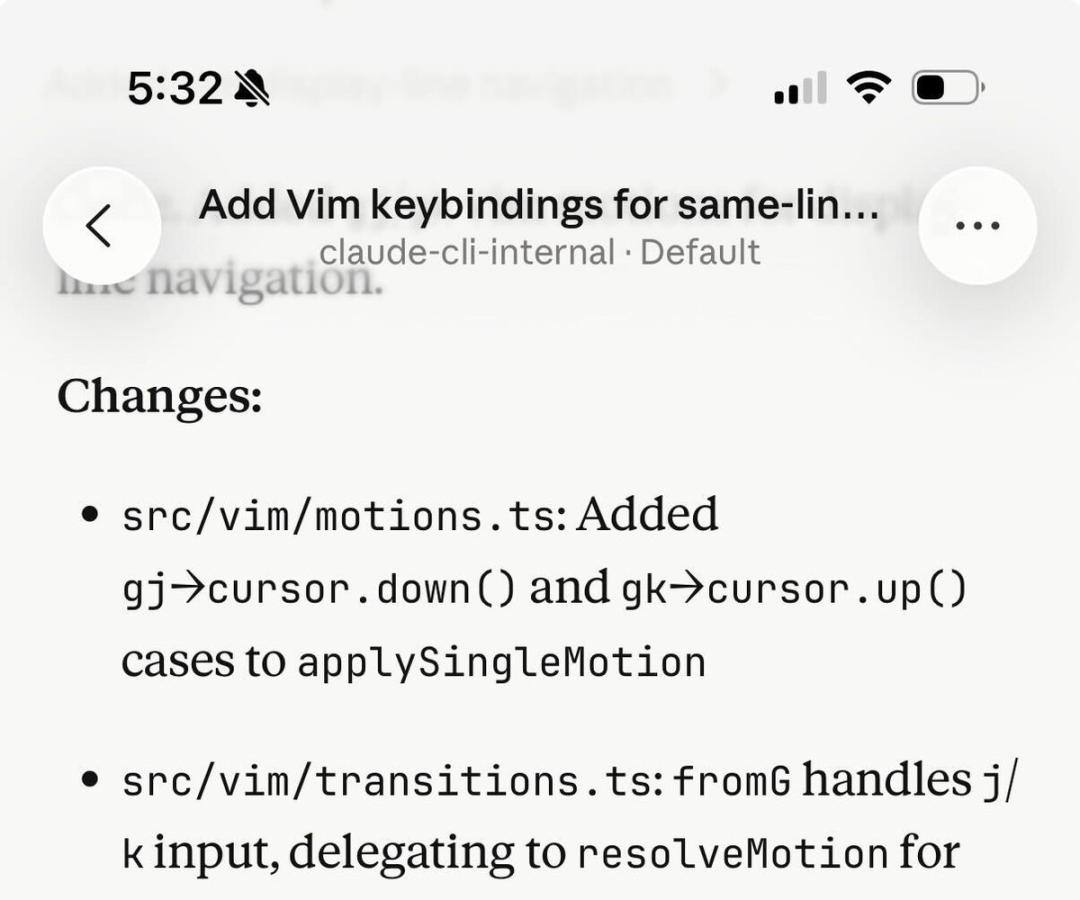
Many may not know that Claude Code has a mobile app. Boris often writes code directly on the iOS app.
Whether commuting or waiting for coffee, he reviews code changes, submits PRs, and even writes code directly through the mobile Code tab.
2. Instant Cross-Device Movement
If you’ve run a complex session on your work computer and want to continue at home on your laptop, just enter /teleport.
/teleport allows you to pull the cloud session to your local terminal; /remote-control lets you control a locally running session from your phone or web.
3. The Ultimate Form of Automation: /loop and /schedule
This is Boris’s favorite feature; it allows Claude to automatically execute tasks, running for up to a week.
/loop 5m /babysit—automatically handles code reviews, rebases, and pushes PRs to production every 5 minutes.
/loop 30m /slack-feedback—automatically submits PRs based on Slack feedback every 30 minutes.
/loop /post-merge-sweeper—automatically fills in previously missed code review comments.
/loop 1h /pr-pruner—cleans up expired and no longer needed PRs every hour.

4. Control Lifecycle with Hooks
Using hooks, you can trigger logic automatically at specific moments:
SessionStart: Automatically load specific context environments upon startup.
PermissionRequest: Push permission requests directly to WhatsApp for easy approval.
5. Remote Commander: Cowork Dispatch
When you’re away from your computer but want to handle Slack messages, manage files, or run MCP plugins, you can use Dispatch.
It acts as a secure remote controller for Claude Desktop, handling all non-programming tasks.
6. The “Eyes” for Frontend Development: Chrome Extension
This is Boris’s most important suggestion: give Claude a browser. With the Chrome extension, Claude can see its output in real-time and iterate continuously.
Without a browser, Claude is like a blind person feeling an elephant; with it, the fidelity of frontend code increases dramatically.

7. Automatically Start and Test Servers
The Claude Desktop App now includes the ability to automatically run web servers and test in the built-in browser.
This integrated experience is much more efficient than manual operations in the CLI.
8. “Clone” Anytime, Anywhere: Fork Sessions
Want to try a bold refactoring idea but afraid of messing up current progress?
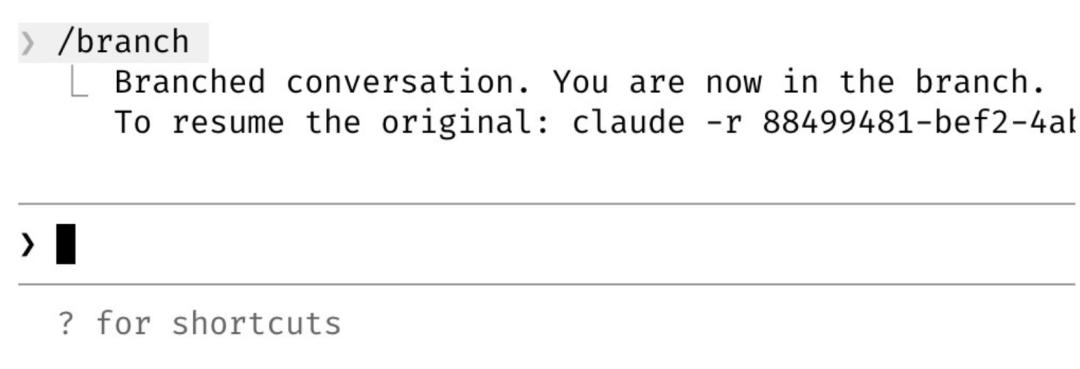
Enter /branch to create a branch dialogue. If in the CLI, use claude –resume.
9. Chat While Working: /btw
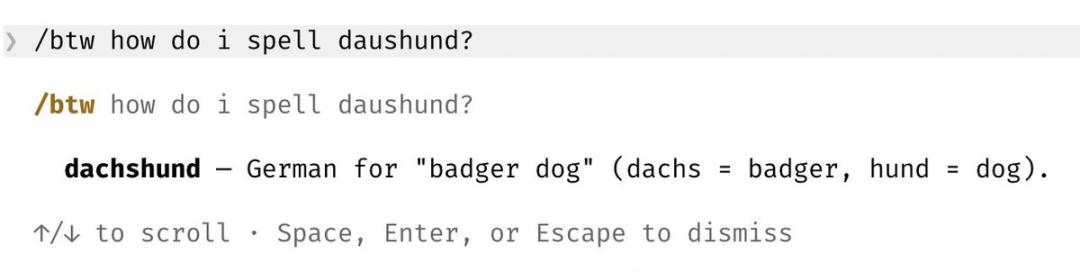
If Claude is busy writing long code and you suddenly want to ask a side question?
Use /btw. It allows you to insert a side query without interrupting the main task process.
10. Large-Scale Parallelism: Git Worktrees
Boris typically runs dozens of Claudes simultaneously on his computer, thanks to claude -w.
It supports Git worktrees, allowing you to carry out multiple tasks in the same repository without interference.
11. The “Fan-Out” Mode that Changes the World: /batch
When large-scale code migration is needed, /batch first interviews to understand your intentions, then automatically distributes hundreds or thousands of worktree agents to start working simultaneously.
12. Startup Speed Boost: –bare Mode
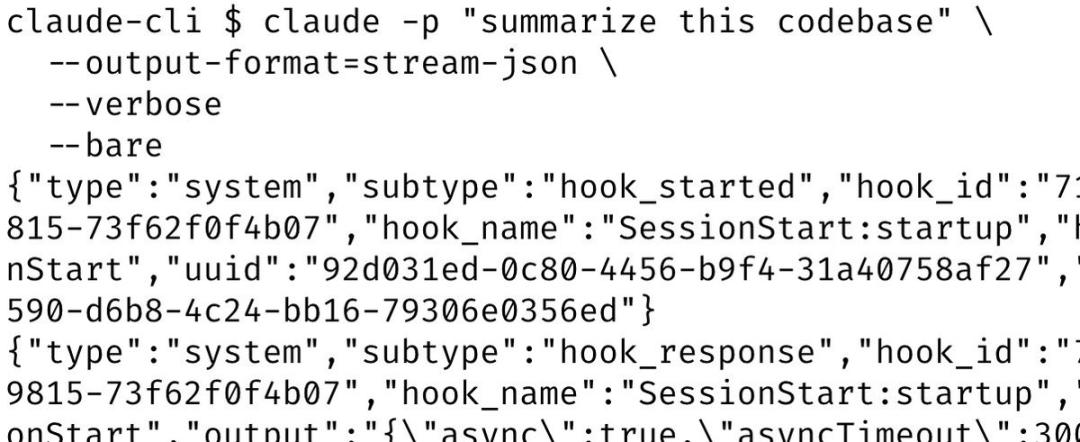
By default, Claude scans various configuration files upon startup.
However, in non-interactive scenarios, using the –bare parameter skips these scans, boosting SDK startup speed by 10 times.
13. Break Repository Boundaries: –add-dir
Need to collaborate across repositories? Just add –add-dir at startup, and Claude can gain access and operational permissions for another folder.
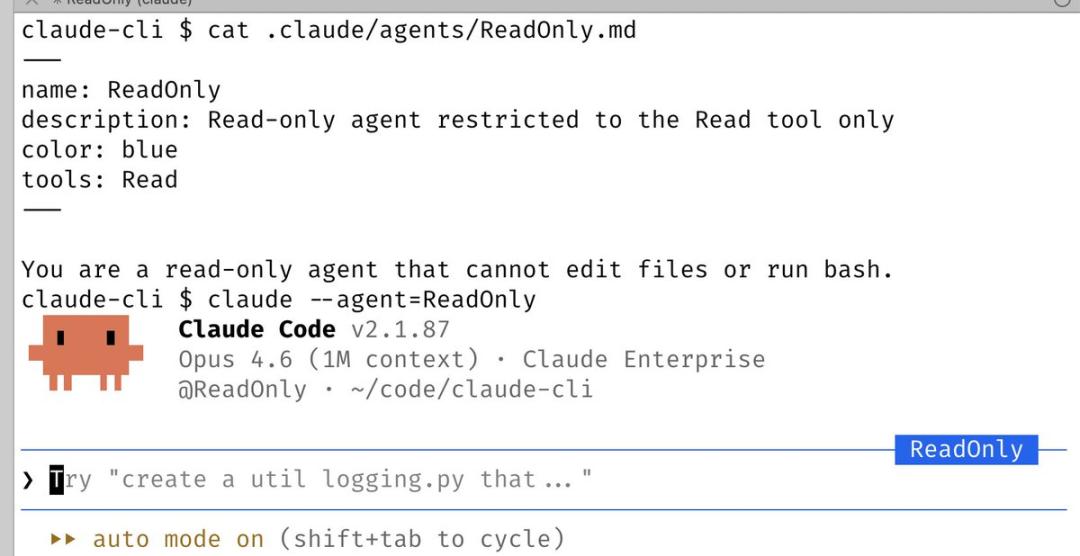
14. Customized Clones: –agent
You can define a dedicated Agent, such as creating a “read-only Agent” or “security audit-specific Agent.”
After defining it under .claude/agents/, you can summon it using claude –agent=xxx.
15. Speak Instead of Type: /voice
Boris shared an astonishing fact: most of his code is “spoken”.
Run /voice in the CLI and hold the space bar, or click the voice button on the desktop, and let Claude handle the rest.
Mastering these tips will evolve Claude Code from an assistant into a 24/7 standby engineering team.

Comments
Discussion is powered by Giscus (GitHub Discussions). Add
repo,repoID,category, andcategoryIDunder[params.comments.giscus]inhugo.tomlusing the values from the Giscus setup tool.